


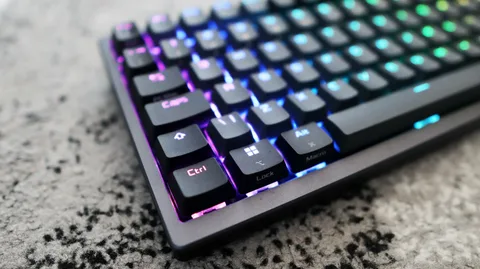
A small mechanical keyboard is not only a practical tool for daily use but also an investment in comfort and efficiency—especially for gamers, typists, and minimalists. However, like any frequently used device, it can accumulate dust, debris, and oils over time. Learning how to maintain and clean your small mechanical keyboard ensures it stays in top condition for years to come.
Why Maintenance is Important
Mechanical keyboards are known for their durability and responsiveness, but neglecting regular cleaning can lead to:
- Sticky or unresponsive keys
- Build-up of grime and dust under the keycaps
- Shortened lifespan of the switches
Routine upkeep not only improves performance but also keeps your workspace looking clean and professional.
Step-by-Step Guide: How to Maintain and Clean Your Small Mechanical Keyboard
1. Unplug and Prepare Your Workspace
Before starting, always disconnect the keyboard from your device. Place it on a clean, flat surface with good lighting. This will help you see all the dirt and dust particles clearly.
2. Surface Cleaning
Use a microfiber cloth or a soft brush to gently wipe the surface. Compressed air can help remove dust between the keys. Avoid using harsh chemicals—stick to isopropyl alcohol (at least 70%) on a cloth for disinfecting.
3. Remove and Clean Keycaps
Use a keycap puller to gently remove the keycaps. Soak them in warm, soapy water for 15–30 minutes. Rinse thoroughly and let them dry completely before reinstalling.
4. Deep Clean the Switches and Plate
Once the keycaps are off, you can clean around the switches using a soft brush or cotton swabs dipped in isopropyl alcohol. Be gentle—excess moisture or pressure can damage the switches.
Best Practices to Keep Your Keyboard Clean
Learning how to maintain and clean your small mechanical keyboard is about consistency. Here are some best practices:
- Clean the surface weekly
- Deep clean monthly or bi-monthly
- Avoid eating or drinking over your keyboard
- Store your keyboard in a dust cover when not in use
When to Consider Professional Cleaning
If your keyboard still feels off after cleaning, or you suspect internal damage or moisture intrusion, it may be time to seek professional help. Some mechanical keyboards allow switch replacements and internal cleaning, but it’s best left to experts unless you’re experienced.
Conclusion
Knowing how to maintain and clean your small mechanical keyboard can extend its life, improve performance, and enhance your overall typing experience. Regular cleaning doesn’t take much time and can save you from costly replacements or repairs in the future. A little effort goes a long way in keeping your favorite keyboard as responsive and satisfying as the day you got it.
